MAKER LINE Extension for Microsoft MakeCode
This code provides the driver for MAKER LINE.
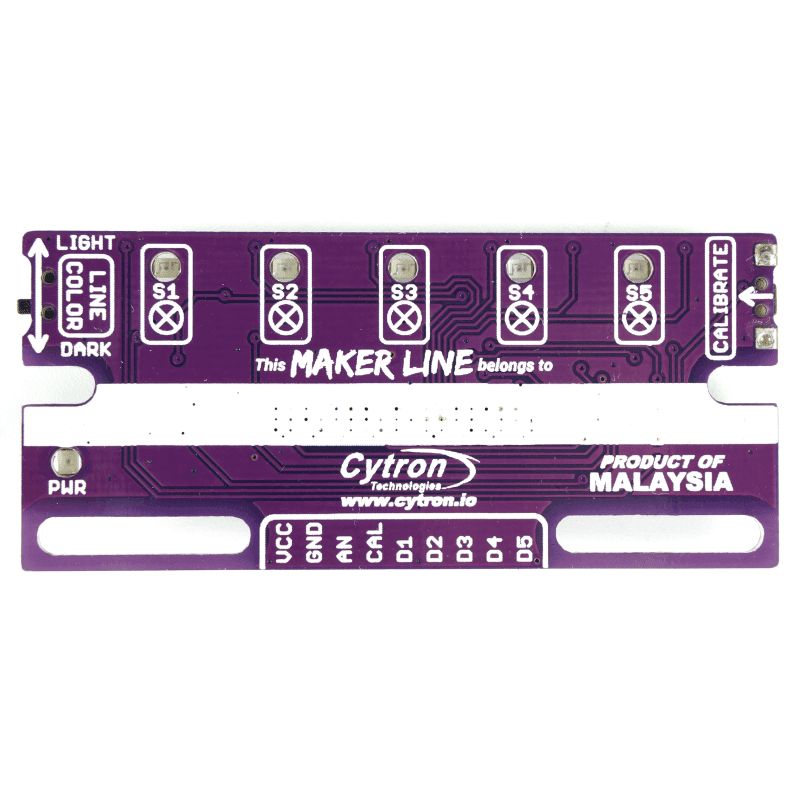
Maker Line is a beginner-friendly 5-channel infrared (IR) line sensor designed for line following robots. It features automatic sensor calibration, selectable black/white line detection, and both digital and analog outputs, making it suitable for simple line followers as well as advanced PID-based robots.
Use as Extension
This repository can be added as an extension in MakeCode.
- open https://makecode.microbit.org/
- click on New Project
- click on Extensions under the gearwheel menu
- search for https://github.com/cytrontechnologies/pxt-maker-line and import
Examples
Mode Intialization
Initialize Sensor in Analog Mode
Use this when reading the analog output pin from the Maker Line sensor.
makerline.initializeAnalog(AnalogReadWritePin.P1)
Initialize Sensor in Digital Mode
Use this when reading the digital output pins from the Maker Line sensor. Assign the five digital output pins connected to the Maker Line sensor.
makerline.initializeDigital(
DigitalPin.P12,
DigitalPin.P13,
DigitalPin.P14,
DigitalPin.P15,
DigitalPin.P16
)
Note:
The Maker Line extension can operate in either Analog Mode or Digital Mode. If both initialization blocks are used in the same program, the most recently executed initialization block determines the active operating mode.
Set Calibration Pin
Specify the pin connected to the CAL pin on the Maker Line.
makerline.initializeCalibration(DigitalPin.P12)
Enter Calibration Mode
Enters calibration mode. Move the sensor across both the line and the background to calibrate it. Calibration mode remains active until the Exit Calibration block is executed.
makerline.enterCalibration()
Ends Calibration Mode
Finish calibration and save the calibration data.
makerline.exitCalibration()
Detect a Line
Returns true if the center IR detects a line.
basic.forever(function () {
    if (makerline.isLineDetectedOn(makerline.LinePosition.Center)) {
        basic.showIcon(IconNames.Yes)
    } else {
        basic.showIcon(IconNames.No)
    }
})
Learn More
- Maker Line product page
- Line Following with MOTION:BIT and Maker Line - a step-by-step micro:bit MakeCode tutorial building a line-following robot with the Maker Line sensor
- Getting Started with Maker Line - mounting and wiring the Maker Line sensor